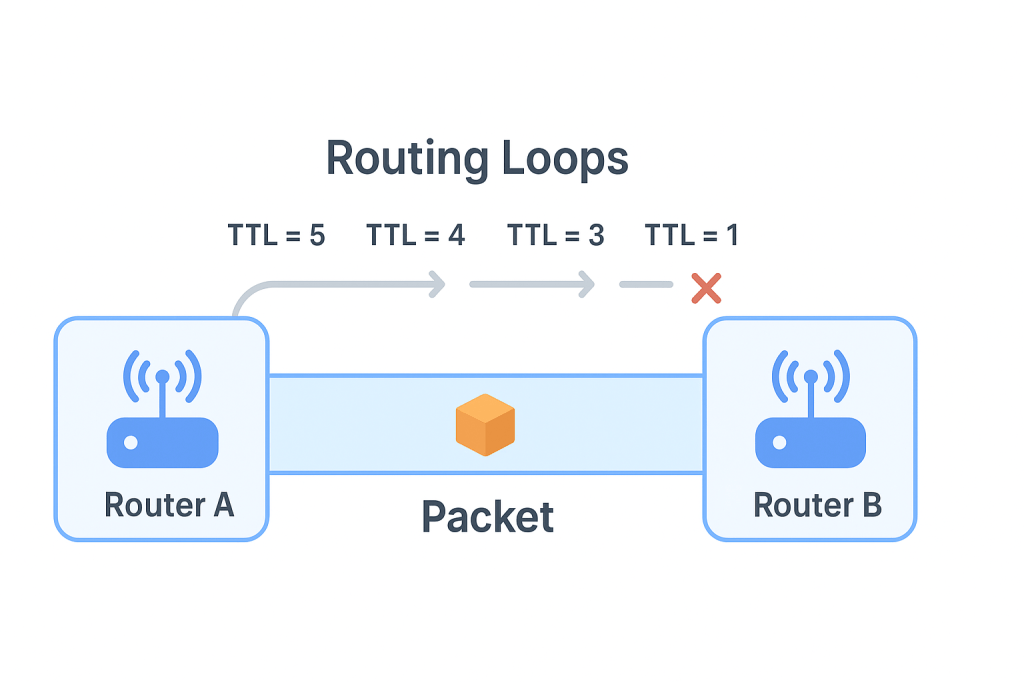
In networking, one of the most frustrating and dangerous issues you can run into is a routing loop. When a routing loop occurs, packets circle endlessly between routers instead of reaching their destination, wasting bandwidth, consuming CPU cycles, and potentially bringing down parts of a network.
Let’s dive into how routing loops occur, how to troubleshoot them, and what you can do when safety mechanisms like Spanning Tree Protocol (STP) fail.
What Is a Routing Loop?
A routing loop happens when routers mistakenly forward packets back and forth between each other without a valid path to the destination.
For example:
- Router A thinks the best path is through Router B.
- Router B thinks the best path is through Router A.
- The packet goes A → B → A → B → … endlessly.
This cycle repeats until the packet’s Time to Live (TTL) expires, which stops the packet from looping forever but doesn’t solve the root problem.
How Routing Loops Occur
Routing loops can appear in several ways:
- Static Route Misconfiguration
- If two routers are manually configured with incorrect next hops, they can easily end up pointing to each other.
- Convergence Delays in Dynamic Routing Protocols
- When routing tables are not updated quickly enough after a network change (like a link failure), temporary loops can form.
- Example: Distance-vector protocols like RIP are more prone to this issue than link-state protocols like OSPF.
- Layer 2 Loops (Switching)
- At the switching level, loops can occur if there are multiple redundant paths without loop prevention mechanisms like spanning tree protocol(STP).
Symptoms of a Routing Loop
- High latency or packet loss due to packets being dropped after TTL expires.
- Increased CPU and memory usage on routers as they process looping packets.
- Bandwidth congestion, as traffic circulates without purpose.
- End devices reporting that they “can’t reach” certain networks.
Troubleshooting Routing Loops
When you suspect a routing loop, here’s how to track it down:
- Use Traceroute or Tracert
- If you see the same set of routers repeating in the output, that’s a strong sign of a loop.
- Check Routing Tables
- Look for incorrect or circular next-hop entries.
- Verify static routes and ensure they point to valid destinations.
- Inspect TTL Values
- Decreasing TTL values in packet captures indicate looping behavior.
- Review Recent Changes
- Loops often occur after new static routes are added, or during routing protocol updates.
What About Spanning Tree Protocol (STP) Failures?
At Layer 2, STP is designed to prevent loops by disabling redundant paths and ensuring only one active path exists between switches. But if STP fails or is misconfigured, loops can wreak havoc on the network.
What to Do If STP Fails:
- Enable Rapid Spanning Tree Protocol (RSTP)
- Provides faster convergence than traditional STP.
- Use PortFast, BPDU Guard, and Root Guard
- These features prevent accidental loops from rogue devices or misconfigurations.
- Deploy Loop Guard and UDLD (Unidirectional Link Detection)
- Helps detect and shut down problematic links before loops occur.
- Segment the Network
- Use VLANs to minimize the impact of loops.
Routing loops are a serious issue that can bring a network to its knees. While TTL prevents packets from looping indefinitely, it’s only a stopgap. The real solution is careful design, correct configuration, and preventive mechanisms like STP at Layer 2 and stable routing protocols at Layer 3.
When STP fails, redundancy can turn into chaos—but with features like RSTP, BPDU Guard, and proper monitoring, you can keep your network resilient and loop-free.
 Ctrl+Alt+Route
Leave a comment