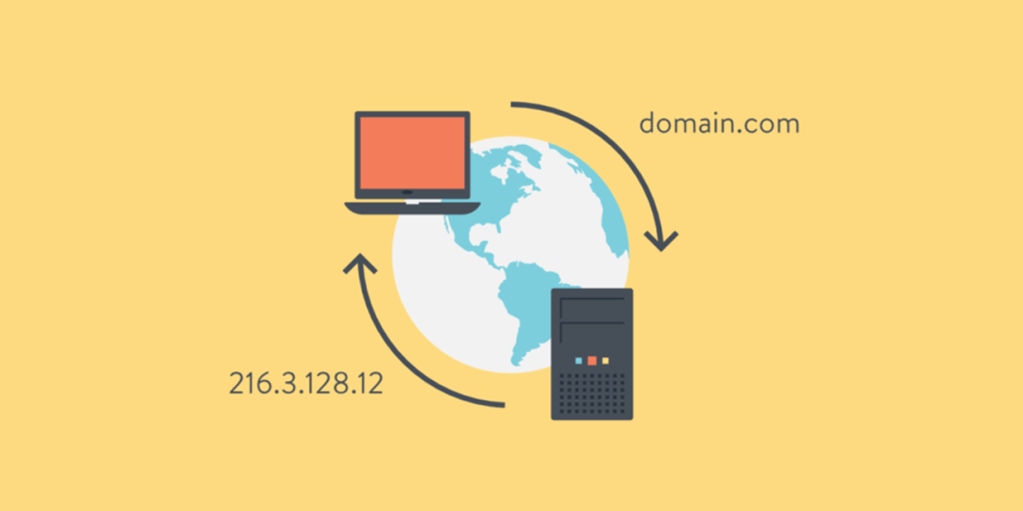
When you type a web address like ctrlaltroute.com into your browser, something simple happens on the surface: the site loads. But underneath, your computer is reaching across the internet, finding the right server, and pulling back the page you asked for.
The piece that makes this possible is the Domain Name System, or DNS.
Think of DNS as the internet’s phonebook. Instead of asking you to remember a string of numbers like 192.0.2.1, it lets you use names—example.com—and quietly does the translation behind the scenes. Without it, the web would be a much less friendly place.
How DNS Resolves a Name
Here’s a simplified look at what happens when you go to a website:
- You type a domain into your browser.
- Your computer asks a resolver (usually run by your ISP or a public DNS service) if it knows the IP address.
- If the resolver doesn’t already know, it starts asking around. It begins at the root servers, which point it toward the right top-level domain (TLD) like
.comor.org. - The TLD servers then direct it to the correct authoritative server for that specific domain.
- The authoritative server replies with the actual IP address.
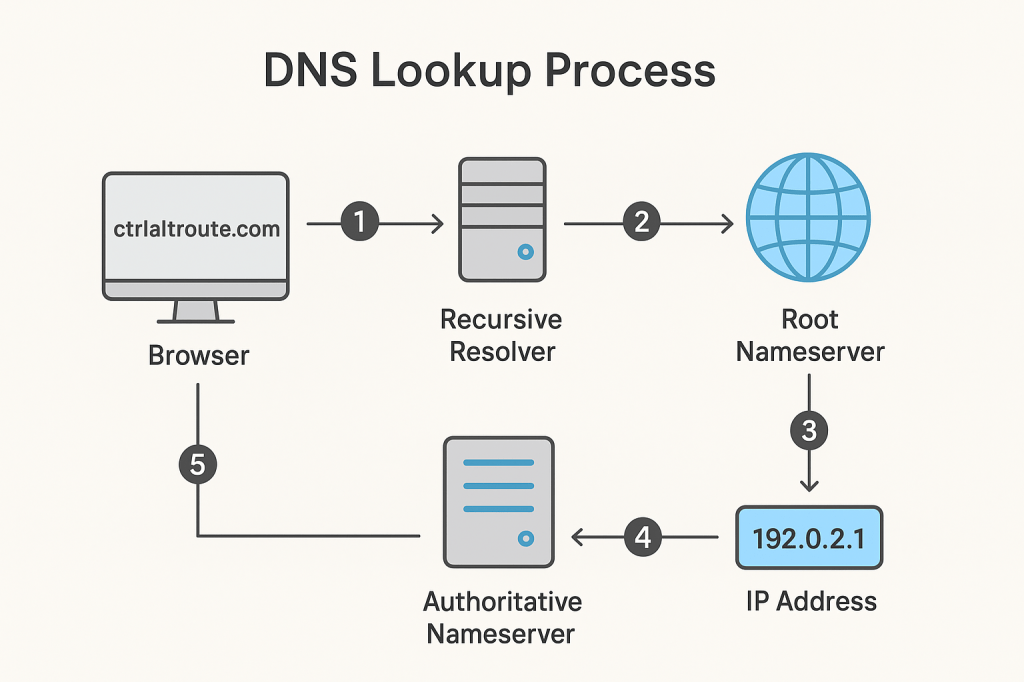
From there, your browser connects to the server at that IP, and the website loads. All of this usually takes a fraction of a second.
The Building Blocks of DNS
DNS isn’t just about mapping names to IP addresses. A domain’s authoritative server holds a set of records that define how that domain behaves. Some of the most common include:
- A and AAAA records: Map a domain to an IPv4 or IPv6 address.
- CNAME: Lets one domain act as an alias for another.
- MX: Tells mail servers where to deliver email for the domain.
- TXT: Stores text data, often used for email authentication (SPF, DKIM, DMARC).
- NS: Points to the domain’s authoritative servers.
Each record also has a TTL (time to live) value. That’s how long other systems are allowed to cache it before asking again.
Caching and Speed
If every lookup had to start from scratch, the web would feel slow. That’s why caching is so important. Once a resolver has learned where a site lives, it will hold onto that information for the TTL period.
This speeds things up dramatically, but it can also cause delays when something changes—like when a domain moves to a new host. Until caches expire, some users may still be sent to the old server.
Security and Privacy
For all its strengths, DNS was designed in a more trusting era of the internet. Out of the box, it’s vulnerable to:
- Spoofing and cache poisoning, where attackers feed false answers to resolvers.
- DDoS attacks, where DNS infrastructure is overwhelmed with traffic.
To address these risks, the system has evolved:
- DNSSEC adds cryptographic signatures to make sure responses are authentic.
- Encrypted DNS protocols like DoH (DNS over HTTPS) and DoT (DNS over TLS) keep queries private.
- Anycast networks distribute DNS services across multiple locations, making them harder to take down.
More Than Just Browsing
DNS also plays a big role in modern internet services:
- Load balancing: Directing users to the nearest or least-busy server.
- Content delivery networks (CDNs): Using DNS to serve content from servers close to the user.
- Dynamic DNS: Keeping domains updated when IP addresses change, useful for home labs and small businesses.
- Filtering and security: Enterprises often use DNS to block malicious domains or enforce browsing policies.
 Ctrl+Alt+Route
Leave a comment