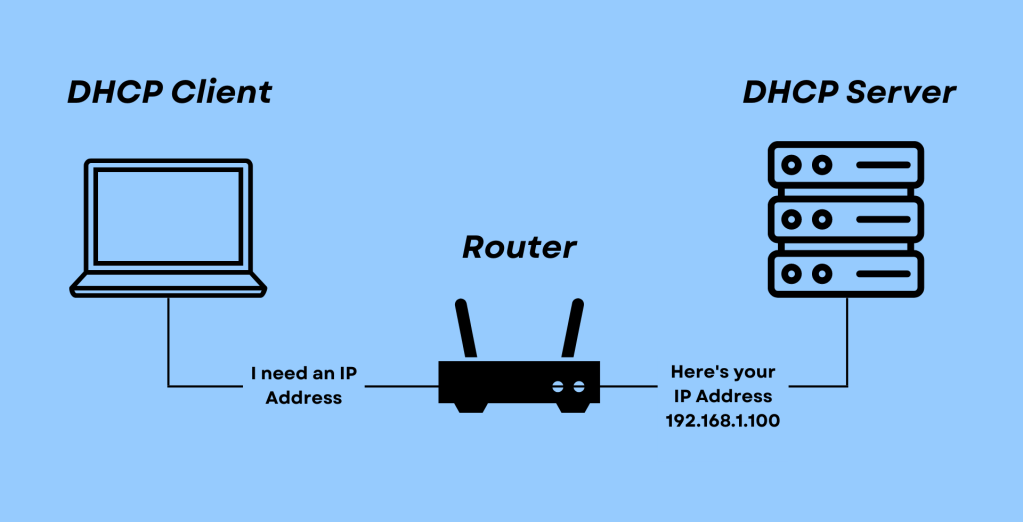
Dynamic Host Configuration Protocol (DHCP) is an networking protocol that simplifies IP address management in IT environments. Whether you’re connecting a laptop, smartphone, or server to a network, DHCP ensures that devices receive the necessary IP configurations automatically.
BOOTP vs. DHCP
Before DHCP, networks relied on the Bootstrap Protocol (BOOTP) for IP address assignment. However, BOOTP had limitations as it required manual configurations and lacked dynamic IP address allocation. DHCP evolved from BOOTP to automate and streamline the process, allowing devices to obtain IP addresses dynamically without administrator intervention.
How DHCP Works: The DORA Process
DHCP operates using a four-step process known as DORA, which ensures seamless IP address allocation:
- Discover – Finding a DHCP Server:
When a device connects to a network, it sends a DHCP Discover message as a broadcast to locate an available DHCP server. This is the first step in requesting an IP address. - Offer – Receiving an IP Address Offer:
The DHCP server responds with a DHCP Offer, proposing an available IP address along with other network configuration details such as the subnet mask, default gateway, and DNS server. - Request – Confirming the Offer:
The device then sends a DHCP Request message to the server, signalling that it accepts the offered IP address. - Acknowledge – Finalizing the Lease:
Finally, the DHCP server sends a DHCP Acknowledge message, confirming the lease of the IP address to the device. The device can now use the assigned IP to communicate within the network.
The Importance of DHCP
DHCP eliminates the need for manual IP address assignments, reducing configuration errors and administrative overhead. By dynamically allocating IP addresses from an available pool, DHCP ensures efficient IP management and network scalability.
 Ctrl+Alt+Route
Leave a comment